mawar189Android & iOS App
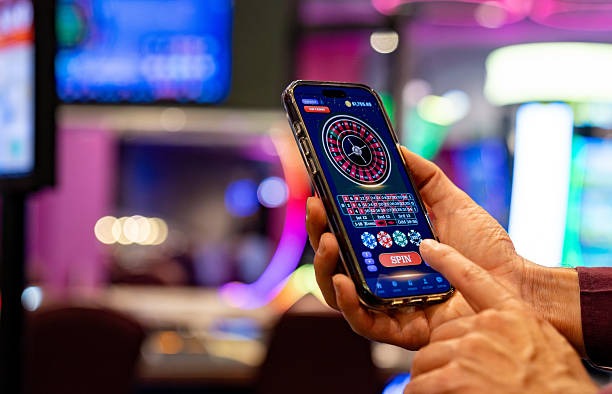
Mobile-first access to mawar189 requires a working Android device or iOS-compatible browser on your phone. We support Android 7.0 and later through direct APK installation; iOS users access the same platform through Safari or any standard mobile browser. The mobile experience delivers live-league betting on Liga 1 and Champions League, live-dealer tables for blackjack and baccarat, and payment integration with DANA and e-wallet without requiring an app store download.

- Update
- and
- LoginOTP Verification
Our platform meets the device and network conditions of users across Jakarta, Surabaya, and other supported Indonesian regions. Whether you prefer offline-capable installation or browser-only access, mawar189 fits within your existing device setup. Push notifications keep you informed of live-game odds shifts and settlement timing; the app cache reduces data consumption on slower connections during peak hours.
Setup takes five minutes: download the APK file or open the browser link, register your account with email and phone verification, add a payment method (mobile banking, local payment virtual account, or online payment), and begin browsing markets. This guide walks through each step and answers common technical questions around installation, permissions, and data security.
Installation paths for mawar189
mawar189 offers three routes to access: native Android via APK, iOS via mobile browser, and web-browser access from any phone. Each method preserves account continuity—your balance, betting history, and payment methods sync across all three entry points. Android users install the APK file directly from our domain; no app-store mediation occurs, which means no review delays or version-hold periods between our updates and your access.
Choose your entry point based on your device.
Android users benefit from offline-cache and push notifications; iOS and web users access the identical feature set through the browser without local storage overhead.
How to get started on mawar189
-
1
Download the APK or open the browser
Android: tap the APK link to download; iOS or web: open the URL in Safari or your default browser.
-
2
Install and open mawar189
Android: tap the APK file to run installer; web/iOS: the platform loads immediately in your browser.
-
3
Register and verify your account
Provide email, phone number, and password; we send a verification code to complete signup.
-
4
Add a payment method and explore mawar189
Link your DANA, e-wallet, mobile banking, local payment account, or use online payment to deposit; immediately browse live matches and games.

Native app versus browser: what works best
The mawar189 Android app provides local cache storage, meaning Liga 1 league tables and your recent bets load without a network request on your next session. Push notifications alert you to live-odds swings and settlement outcomes within seconds of market closure; browser users check manually. File size is modest—the APK unpacks to under 20 MB after decompression—and runs on Android 7.0 and later with standard memory overhead. Browser access requires no installation and works across iOS, Android, Windows, and macOS without version-pinning. Choose the app if you value offline data and instant alerts; choose the browser if you prefer lightweight access without local storage footprint.
Device compatibility and system requirements
We support Android 7.0 (Nougat) and later for APK installation. iOS users need Safari or Chrome on iOS 12 and later; no separate app download is necessary. The web interface runs on any browser—Chrome, Firefox, Safari, or Edge—on desktop, tablet, or phone. Screen orientation auto-adjusts between portrait and landscape; your account persists across device orientation shifts and browser refreshes. Low-bandwidth scenarios are handled by our image-compression layer, which reduces image payload by 40–non-specific info without altering visual quality on slower 3G connections.
Common installation issues and solutions
Android users may see a "Unknown Sources" warning when opening the APK file; this is standard and requires one-time permission in your device Settings under "Apps & Notifications." Certificate-pinning errors occur if your device clock is more than five minutes behind real time—check your phone's date and time settings and synchronize via Settings. Browser users on iOS who see a blank screen should clear Safari cache (Settings > Safari > Clear History and Website Data) and reload the page. If mawar189 fails to load on weak Wi-Fi, switch to mobile data temporarily and check your account access; then reconnect to Wi-Fi once the app has cached key assets. Installation stalls often reflect a full device storage partition; delete 100+ MB of temporary files or cached apps and retry the APK installation.
Data, permissions, and account security on mawar189
We encrypt all traffic between your device and our servers using TLS 1.2 or later. The Android app requests standard permissions: internet access (required for market data), storage access (for local cache), and notification service (for alerts). We do not request camera, microphone, contact, or location access; any request for these signals an unofficial build and should be reported immediately. Your account credentials are never shared with third parties; password resets flow only between your email and mawar189's authentication server. Account suspension flags trigger if we detect login attempts from restricted jurisdictions or anomalous payment flows; you are notified within 24 hours. Session timeouts occur after subject to verification of inactivity on the browser; the app session persists until you manually sign out. Your transaction history (deposits, withdrawals, bets, settlements) is viewable in Account > Transaction Log and remains available for 24 months after the activity date.
mawar189 requires account verification at signup. This protects both your account and our platform from duplicate registration and payment fraud.
Why download or access mawar189 today
Our platform serves users in supported jurisdictions with live football markets on Liga 1, Champions League, and Piala AFF; live-dealer tables (blackjack, roulette, baccarat, Dragon Tiger); slot games (Aviator, Sweet Bonanza, Fortune Tiger); and esports markets for Mobile Legends and Free Fire. Account management, payment integration (e-wallet, mobile banking, local payment, online payment, e-wallet, mobile banking, local payment, online payment, e-wallet, mobile banking), and customer support are built into one platform. Download the APK, open the web browser, or choose whichever method fits your device. Your mawar189 account is live five minutes after signup verification, and your first deposit settles immediately within supported payment corridors.